Get emails and phone numbers
Get data shows a person's email, phone and mobile number in Lead search — 5,000 new people a day.
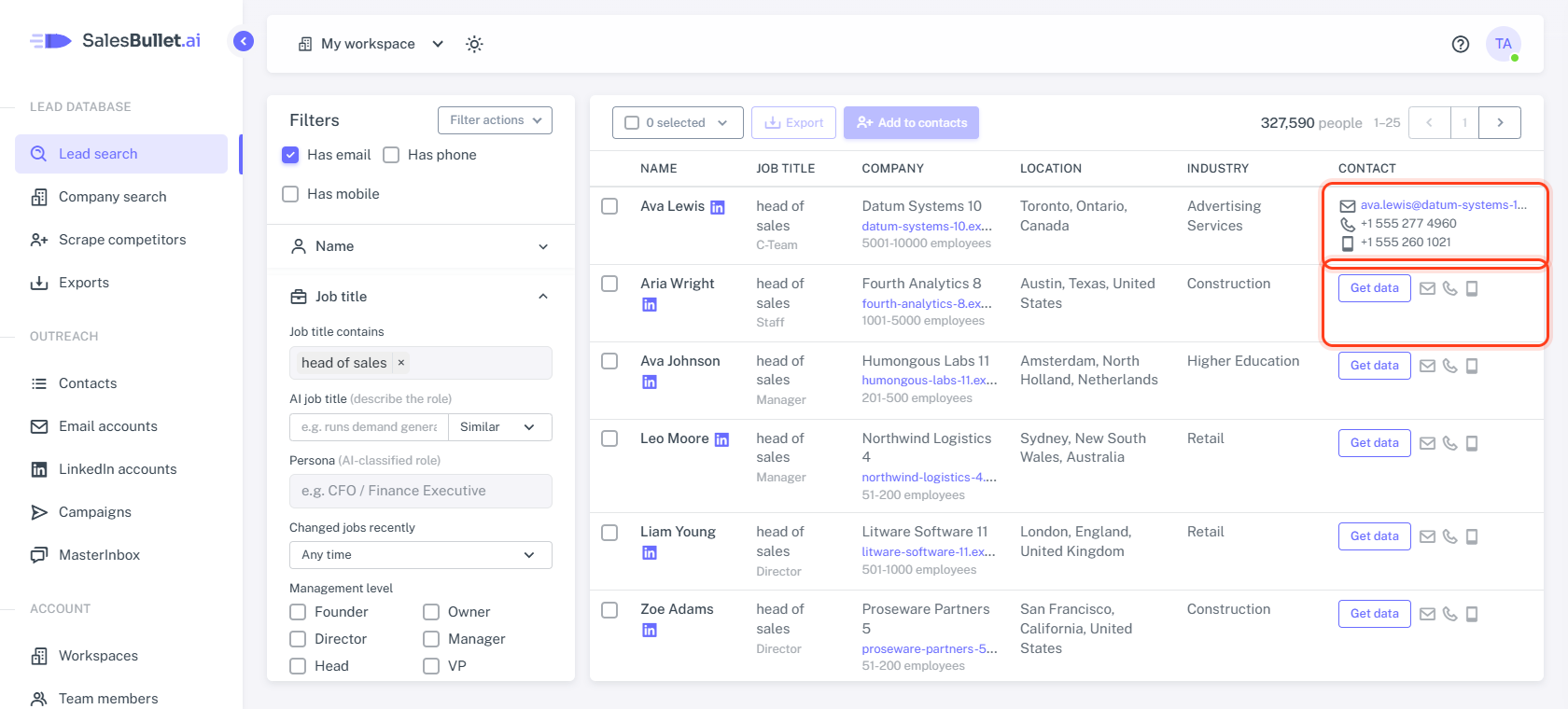
In Lead search, the Contact column shows what we have for each person. Until your team gets their details, it shows a Get data button and small icons for what's there: an envelope for an email, a phone for a phone number, a mobile for a mobile number. A dash means we have none of them.
Get one person's details
Click Get data on their row. A moment later the row shows their email — click it to write to them — and their phone and mobile numbers.
- No contact data — we found nothing for them after all.
- A red message under the button — it didn't work just now. Click Get data again in a moment.
On the Unlimited plan, Get data shows up to 5,000 people new to your team a day — Add to contacts has no limit — and phone numbers for up to 10,000 people a month, all your workspaces together. When the month's phone numbers are used, Get data shows the email only. On the Free plan it uses one of your 30 free leads — a person your team got before is free (plans).
Your team sees them too
Once anyone in your team gets someone's details — with Get data, Export or Add to contacts — everyone in the team sees their email in Lead search from then on. Phone numbers show only after Get data: for people your team added or exported, click Show phone under their email.
Many people at once
There's no Get data for many rows at once. Select the people and click Export or Add to contacts instead (how).
Verified emails
An email is verified when our data provider checked it within the last 2 months. The Contact column shows the email either way, so:
- Add to contacts takes the people with a verified email. The others can go in for LinkedIn only.
- Export lets you choose: Verified emails only, Not verified or All.
- In your contacts, a verified email has a Verified badge.
Tip
Tick Has email, Has phone or Has mobile at the top of the filters to see only the people who have one.