Make
Connect SalesBullet to your other apps with Make — start scenarios on replies, labels and LinkedIn events, and add contacts, steer campaigns and stop leads from your other tools.
SalesBullet works with Make: your campaigns' events start scenarios, and your other tools add contacts, start campaigns or stop leads in SalesBullet. It's part of the Unlimited plan (plans).
Connect
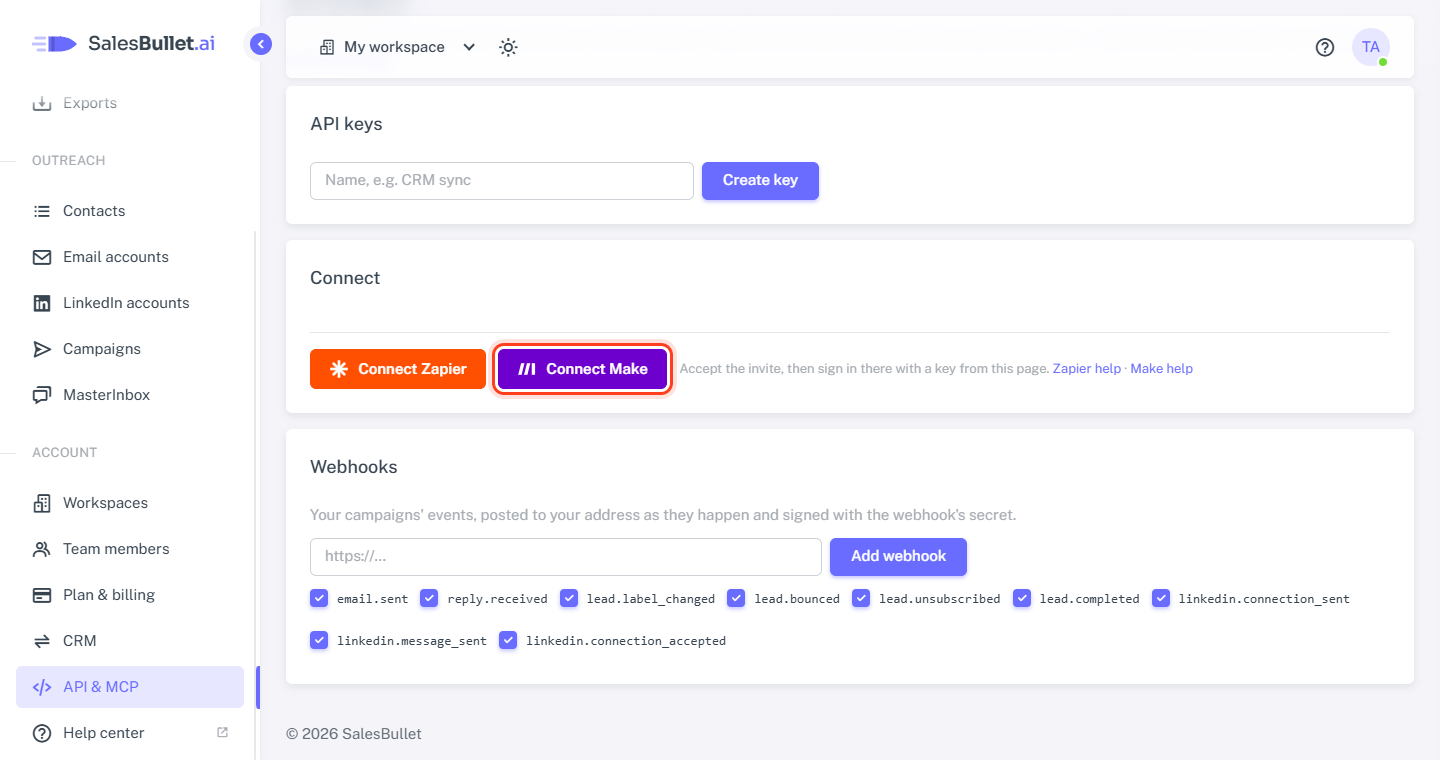
- In SalesBullet, open Account → API & MCP and click Connect Make — it opens our app in Make. Install it in your organization.
- Still on API & MCP, make an API key — only the workspace's owner can (API keys).
- In a Make scenario, add a SalesBullet module and create a connection with that key. The connection shows your workspace's name.
A key works in its own workspace: an agency connects each client's workspace with that workspace's key.
Watch Events — what starts a scenario
Add Watch Events, create a webhook and pick the event. It starts the moment it happens:
| Event | When |
|---|---|
| New reply | A lead replies, by email or on LinkedIn — with the reply and the conversation before it |
| Lead label changed | A lead gets a label — Interested, Meeting booked … — set by your team or the AI |
| Email sent | A campaign email or a MasterInbox reply goes out |
| Email bounced | An email to a lead bounces |
| Lead unsubscribed | A lead asks to be unsubscribed |
| Lead finished the sequence | A lead had every step without replying |
| LinkedIn connection request sent, connection accepted, message sent | The campaign's LinkedIn steps, and the lead accepting |
Each brings the lead (name, job title, company, LinkedIn), the campaign and what happened. A lead from our lead database comes with their email once they've replied.
Each webhook adds one to your workspace, and deleting it in Make removes it — you'll see them on API & MCP. A workspace can have 50.
Actions — what a scenario does in SalesBullet
| Action | What it does |
|---|---|
| Add a Contact to a List | Adds a person to a contact list, matched on email — with any custom fields, which become variables in your messages |
| Create a Contact List | Makes a list, or finds the one with that name |
| Update Contact Fields | Sets fields on a contact — e.g. an icebreaker your own tool wrote |
| Add to the Do-Not-Contact List | Emails or whole domains your campaigns never contact |
| Add a List to a Campaign | A list's people become the campaign's leads |
| Start a Campaign, Pause a Campaign | As in the app — a campaign needs its steps, sending accounts and leads to start |
| Stop a Lead, Pause a Lead, Resume a Lead | One lead in a campaign, by email — e.g. your CRM says they're a customer now |
| Make an API Call | Anything else in our API, with the same connection |
Add a Contact to a List: with "Leave people already in SalesBullet as they are" on, someone already in your contacts is left out — the output counts them under "Already in contacts". Turn it off to update them and add them to the list.
When SalesBullet refuses something — a campaign that isn't ready, a contact that doesn't exist — the module shows the reason.
Ideas
- A reply → your CRM or Slack: Watch Events (New reply) → create the contact in your CRM, or post the reply to a channel.
- Interested → a deal: Watch Events (Lead label changed) → a filter on Interested → make a deal in your CRM.
- A form or webinar → a campaign: a new sign-up → Add a Contact to a List → it joins the campaign that list is in.
- A customer → stop emailing: a deal won in your CRM → Stop a Lead, or Add to the Do-Not-Contact List.