The do-not-contact list
Emails and domains your campaigns never contact — yours, plus bounces and unsubscribes added for you.
The do-not-contact list holds email addresses and whole domains your campaigns never contact: customers, partners, competitors, people who asked you to stop. Everyone in your workspace shares it.
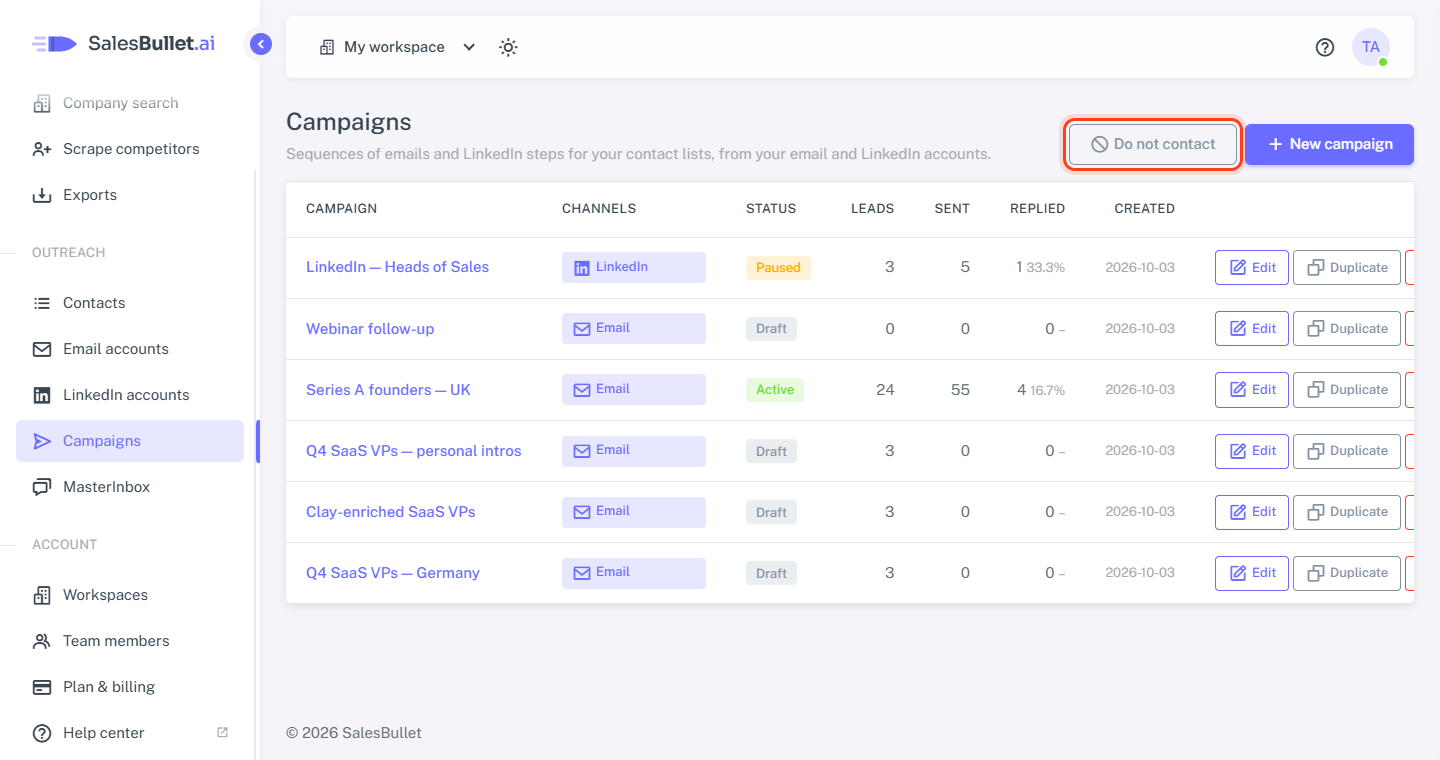
To open it, go to Campaigns and click Do not contact.
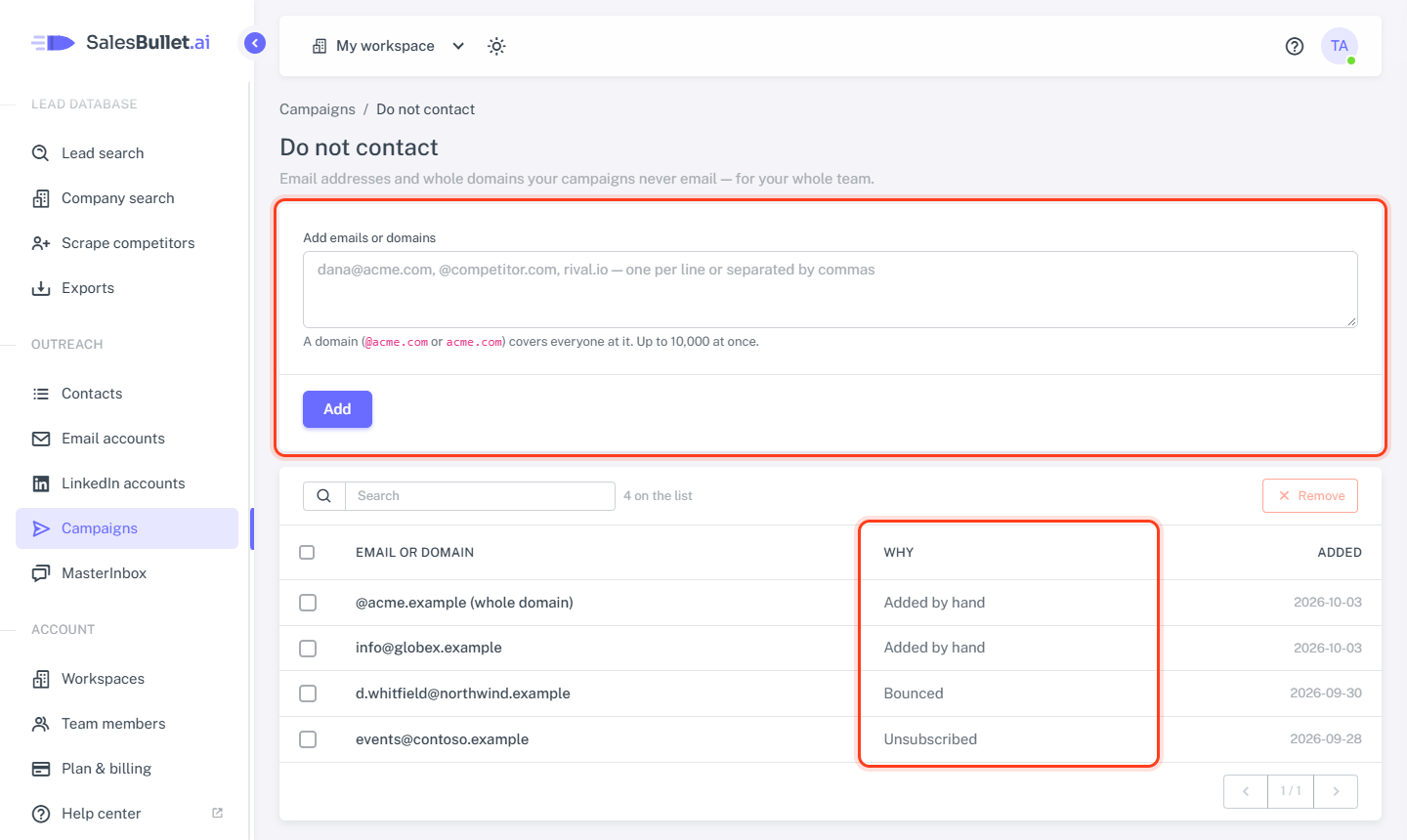
Add emails and domains
- Paste them under Add emails or domains — one per line, or separated by commas. Up to 10,000 at once.
- Click Add.
A domain — @acme.com or just acme.com — covers everyone at it; the list marks it (whole domain). Anything that
isn't an email or a domain is shown back to you and left out, and addresses already on the list aren't added twice.
Added for you
Two kinds go on the list by themselves — the Why column tells them apart from the Added by hand ones you and your teammates add:
- Bounced — an email to it bounced because the address doesn't exist. A bounce because their server refused your email doesn't count: the address itself is fine.
- Unsubscribed — they asked to unsubscribe: an email with the subject "unsubscribe", which is what the campaign's Unsubscribe header sends — or a spam complaint passed on by their email provider.
What it does to campaigns
- When you add leads, people on the list aren't added — the campaign says how many it skipped "on the do-not-contact list".
- Right before every email or LinkedIn step, a lead whose email, or its domain, is on the list is stopped, whatever the channel. On the campaign's Leads tab they show as Stopped.
They can stay in your contacts and lists — campaigns skip them.
Note
The list works by email address: a contact without an email — LinkedIn only — can't be matched.
Take someone off
Tick them and click Remove. From then on your campaigns can contact them again — a lead that was already stopped stays stopped.