Launch, pause and resume
What a campaign needs before it launches, what pausing does, and when a lead or a campaign stops by itself.
A campaign sends nothing until you launch it. The button at the top right of its page launches, pauses and resumes it.
Before you launch
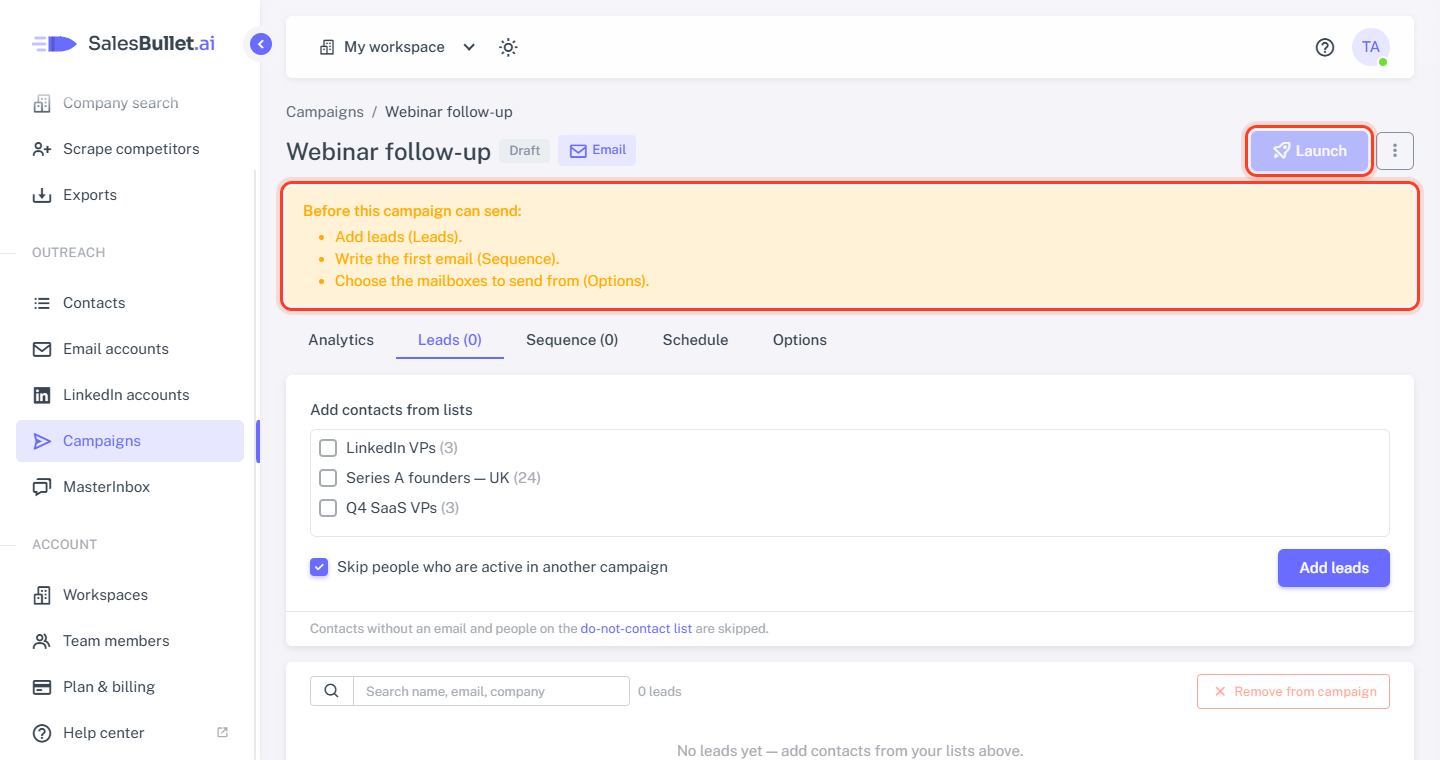
Until a campaign can send, its page lists what's missing under Before this campaign can send: — each item with the tab to fix it on, for example:
- Add leads (Leads).
- The first email needs a subject (Sequence).
- Choose the mailboxes to send from (Options).
The Launch button stays grey until the list is empty.
When nothing is missing, it says how it will send — "Ready to launch: 3 leads, up to 30 emails per day."
Launch
Click Launch, read what it will do, and click Launch again. The campaign is now Active: messages go out on its schedule, at its pace. From now on its page opens on Analytics.
You can still change the sequence, the schedule and the options, and add leads, while it runs.
Pause and resume
Pause stops the campaign at once: no emails, no LinkedIn steps, no Enrichment, Personalization or Webhook steps. Leads keep their place, and replies still arrive in the MasterInbox and stop their leads. Resume carries on where it stopped — follow-ups that came due meanwhile go out as the schedule and pace allow.
Campaign statuses
- Draft — not launched yet.
- Active — sending on its schedule. When it says This campaign needs attention:, something is in the way — its email accounts are disconnected, for example, or the leads at an Enrichment step wait for credits. It goes on by itself once that's fixed.
- Paused — by you, or by SalesBullet (below).
- Completed — every lead has finished the sequence. Add leads and it's Active again, with them.
When a lead stops
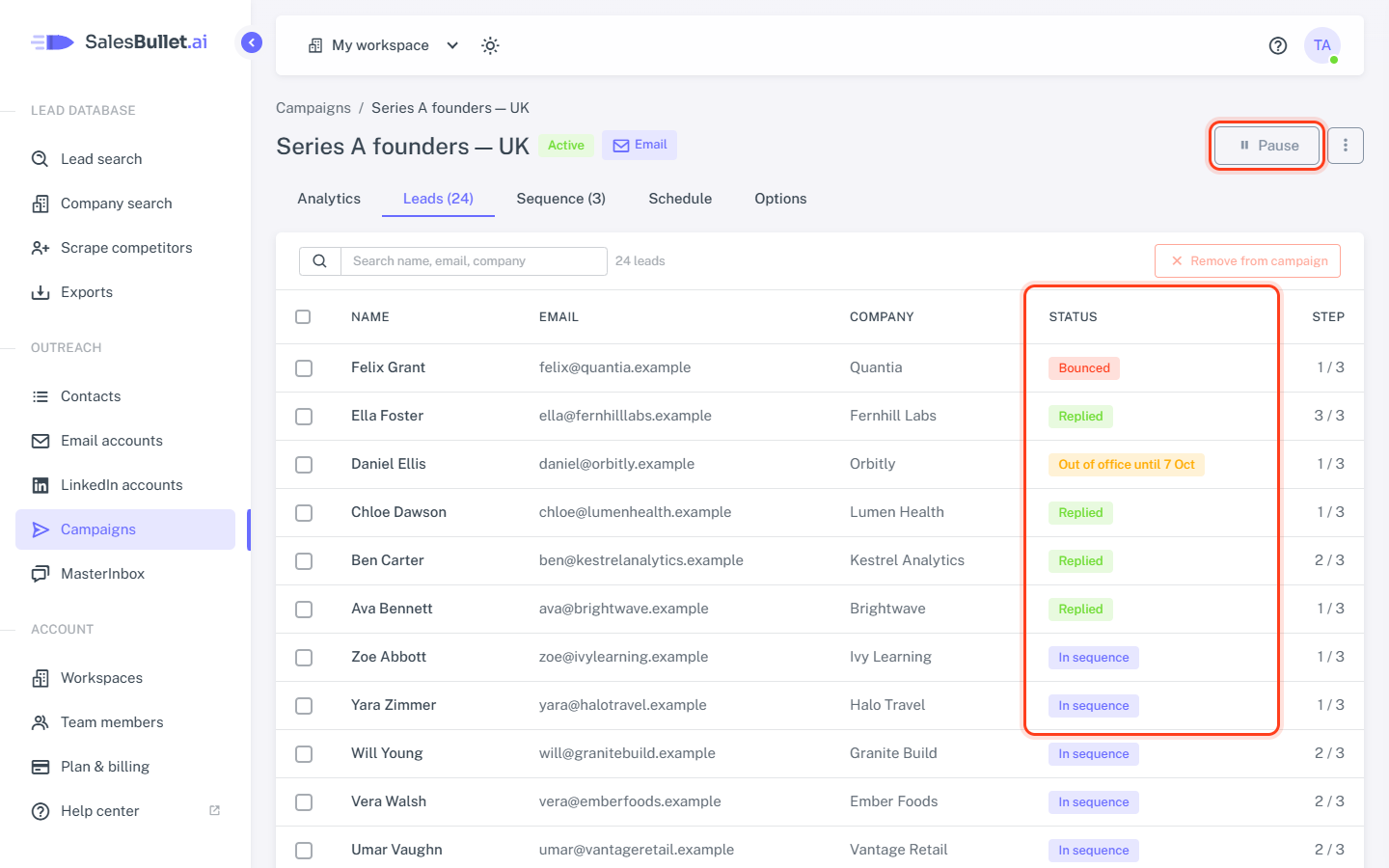
The Leads tab shows each lead's status: Not contacted, In sequence, Out of office until …, Replied, Bounced, Unsubscribed, Completed or Stopped.
- A reply — email or LinkedIn, whatever it says — stops the lead, and the same person in your other campaigns: there they show Stopped.
- An out-of-office reply pauses the lead for 7 days; then the sequence goes on. With Stop on auto-reply on the Options tab, it stops the lead.
- A bounce stops the lead. An address that doesn't exist also goes on your do-not-contact list.
When SalesBullet pauses a campaign
- Too many bounces: more than 5% of its last 100 emails, once it has sent 20 — "Paused by SalesBullet: 3 of the last 40 emails bounced. Check the leads' email addresses, then resume."
- A refused CC or BCC address: nothing went out. Fix the address on the Options tab.
Deal with the cause, then click Resume.